
How It Works
-
Open ABC Mobile
-
Navigate to your list of jobs as you normally would. Select the Order you would like to print documents for.
-
-
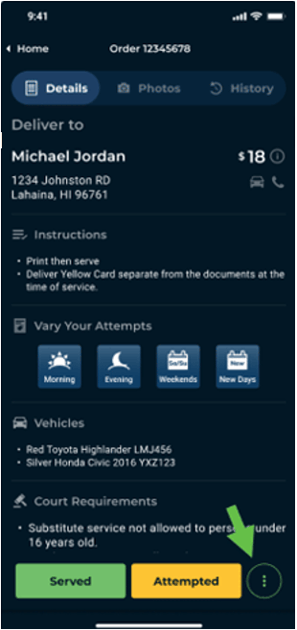
Tap the 3 dots to access More (⋮)
-
Tap the vertical three-dot icon in the bottom right.
-
-
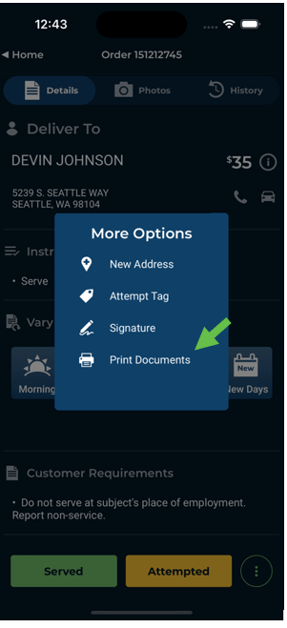
Select "Print Documents"
-
This option allows you to generate a printable version of the relevant documents.
-
-
Review the Print Preview
-
You’ll be taken to a Print Screen where you can:
-
Preview your documents.
-
Choose your printer and settings (if supported by your device).
-
Print immediately or share the file for remote printing.
-
-
