
If you're encountering error messages when trying to claim jobs in ABC Mobile, this guide will help you identify the issue and take the correct next steps.
App Error Messages
Recently created an account but can’t claim?
If you're a newly onboarded server and receive error messages when trying to claim jobs, check to ensure the following is met:
-
You have completed the entire onboarding checklist.
-
All required documents (e.g. registration, ID verification) are submitted and approved.
Note: The Recruiting Team will notify you once you're officially cleared to begin serving. Until then, you may be restricted from claiming work.
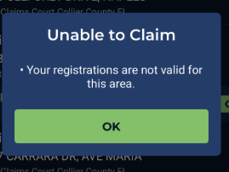
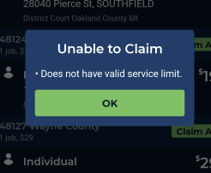
📄 PS Registration Not uploaded or Approved
Have you submitted your Process Server (PS) registration?
- If missing/updated info or pending approval, you won’t be able to claim work.
➡️ Visit the [Registrations, Credentials & Contact Details] page to:
-
Check your registration status
*Upload missing or updated information*
💥Not on Order Appointing Process Server (M&O)
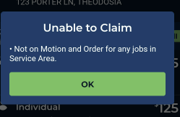
"Motion and Order" (M&O) for appointment to serve refers to specific jurisdictions in GA, MO and FL.
This process requires servers to be appointed by a judge to serve on each job.
ABC Legal Customers must submit a Motion (which includes a list of process servers) to the court to request approval that those process servers be authorized to serve that job. When you sign up in any state that has this M&O process in place, your respective Recruiter will add you to the motion list that our Customers reference in this process.
The judge reviews and approves the process servers by signing an Order. To serve jobs in areas that have this M&O process in place, you must be on the signed Order from the judge to be able to legally serve the documents.
You'll receive an error message when attempting to claim if:
- We do not have a valid signed Order back from the court for that job
- You are not on the signed Order from the judge we received back from court
⚠️ Approved to serve, but still receiving claiming errors?
If you're already active and cleared to claim jobs, the issue may be case-specific.
Duplicate address restriction
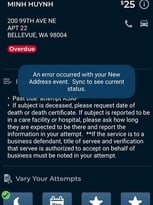
This occurs when the system identifies an attempt to resend a job to the same address, which may have already been processed or flagged for other reasons. This is a safeguard to prevent redundancy and unnecessary reattempts, especially if the job has already been handled. The system may automatically reroute the job to another server for verification purposes, ensuring that service attempts are correctly managed and processed.
⏳ Too Many Overdue Jobs

If you have too many overdue jobs, the system will temporarily prevent you from claiming new jobs.
What to do
👉 Make attempts on any overdue work.
The system will automatically lift the restriction within 24 hours after overdue jobs are completed.
🔄 Job Already Claimed
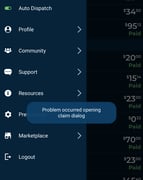
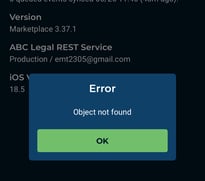
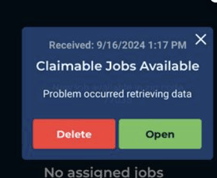
If you receive this error when claiming a job:
-
It’s likely that another server already claimed the job or ZIP code.
-
The job/area is no longer available
How to fix?
👉Refresh the app to see newly available jobs/areas.
📍 Location Access Issues
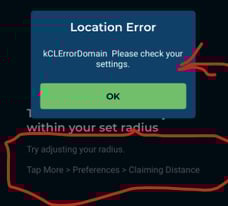
Errors related to location or GPS permissions
-
Make sure the ABC Legal app has location permissions enabled on your device.
-
Go to your phone’s Settings > App Permissions > Location and allow access.
🖨️Printing Errors
-
Check your Wi-Fi or cellular connection.
-
✅ Try accessing via a different browser (Chrome recommended).
- ✅ Clear your browser’s cache and cookies
🗺️Capacity Error
You are unable to claim this area due to Your Capacity being exceeded
To increase your Capacity: Claim jobs, Pick up Areas, and improve your scorecard rating by working quickly, meeting requirements, and successfully serving documents.
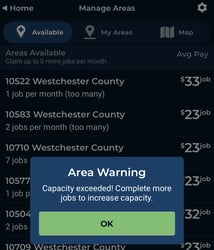
Note: Support can not manually increase capacity as this number is calculated directly from data on your account.
Still need help?
If none of the above steps resolve your issue, reach out to:
🔗 Need help with credentials, onboarding, or document submission? Visit the [Onboarding Resource Page] or [Getting Started Guide].